Live · 24/7 automation

The free Binance P2P bot that keeps you #1
automatically.

VelosBot is a free, auto-pricing Binance P2P bot for verified merchants. It updates your ads every second, 24/7, so you always stay first in Binance P2P search results.

No license, no subscription. See why it's a genuinely free Binance P2P bot →

Official Binance API 100% free No license needed Windows + Android
VelosBot Binance app dashboard

Everything you need to stay on top

Built for active Binance P2P merchants. Works anywhere in the world.

5 Coins, One Bot

USDT, USDC, BTC, ETH, BNB. Pick exactly what you trade. All coins free, no limits.

Beats Competitors

Stays one step ahead of other merchants. Filters out fake decoy ads and KYC-only ads automatically.

Set & Forget

Configure once. Bot runs 24/7 on your PC. Check status and change settings from your phone.

Two Pricing Modes

Fixed price for USDT and USDC. Floating % offset for BTC, ETH, and BNB. Use whatever fits your market.

Smart Filters

Skip merchants you don't trust. Limit competitor order range. Block spam. Skip KYC-only ads that most users can't trade.

Local Storage

Your Binance API key stays on your PC only. We never see it or store it on our servers. Your credentials stay yours.

How it works

Three simple steps. Then it runs forever.

1

Install

Download VelosBot.exe for your Windows PC. Install the VelosBot Mobile App on your Android phone. Both take under 2 minutes.

2

Configure

On your PC, open VelosBot.exe and paste your Binance API key and secret. On your phone, open the app and configure your coins, prices, and filters.

3

Run

Click Start Bot on the desktop app. The bot connects to our cloud server, reads your settings, and starts updating your Binance ads. It runs while your PC is on.

Download and start in minutes

Free. All 5 coins. No payment, no card, no license key.

Download Now
BotClient desktop app
Why VelosBot

The only Binance P2P bot
with a real mobile app.

Most P2P bots tether you to your PC or force you to type Telegram commands like a 1995 IRC channel. VelosBot runs on your PC, but you control everything from a real Android app — so you can leave the house and your business keeps running.

Leave your desk. Run your business from anywhere.

Your bot keeps pricing on your PC at home. Meanwhile you're at lunch, on a walk, stuck in a meeting — and you can still change your bot prices, tune competition rules, or update filters in seconds. No more "I have to go home and reboot the bot."

Real-time PC ↔ phone sync No port-forwarding setup Works on cellular data
Bot @ home
You · anywhere
YouTube

Watch the tutorials

Two short videos walk you through the whole thing. Setup in under 10 minutes total.

VelosBot Setup — Bot + Android App

Full walkthrough: install the Windows bot, install the Android app, and start it. Free to download and use. Works the same for Binance and Bybit.

Binance API Key Setup (Safe — Reading Only)

Step-by-step on creating a Binance API key with only the Reading permission. No withdrawals, no trading, no transfers — the safest possible setup.

Setup takes about 5 minutes and every step is in the guide above — the bot is 100% free. Prefer we set it up for you? We offer a done-for-you setup for $100 (100 USDT).

Network Tron (TRC-20)
Amount 100 USDT
USDT address (TRC-20 only)
TAhGk5degm8sazeapq5Ddx548y77hMDdoW

After paying, send a screenshot of the transaction on WhatsApp or Telegram to confirm and we'll set up your bot.

See it in action

Real screenshots. Nothing photoshopped.

App dashboard

Main dashboard
Buy & Sell bots

Settings & Filters

Settings & Filters
Market · Interval · Competitors

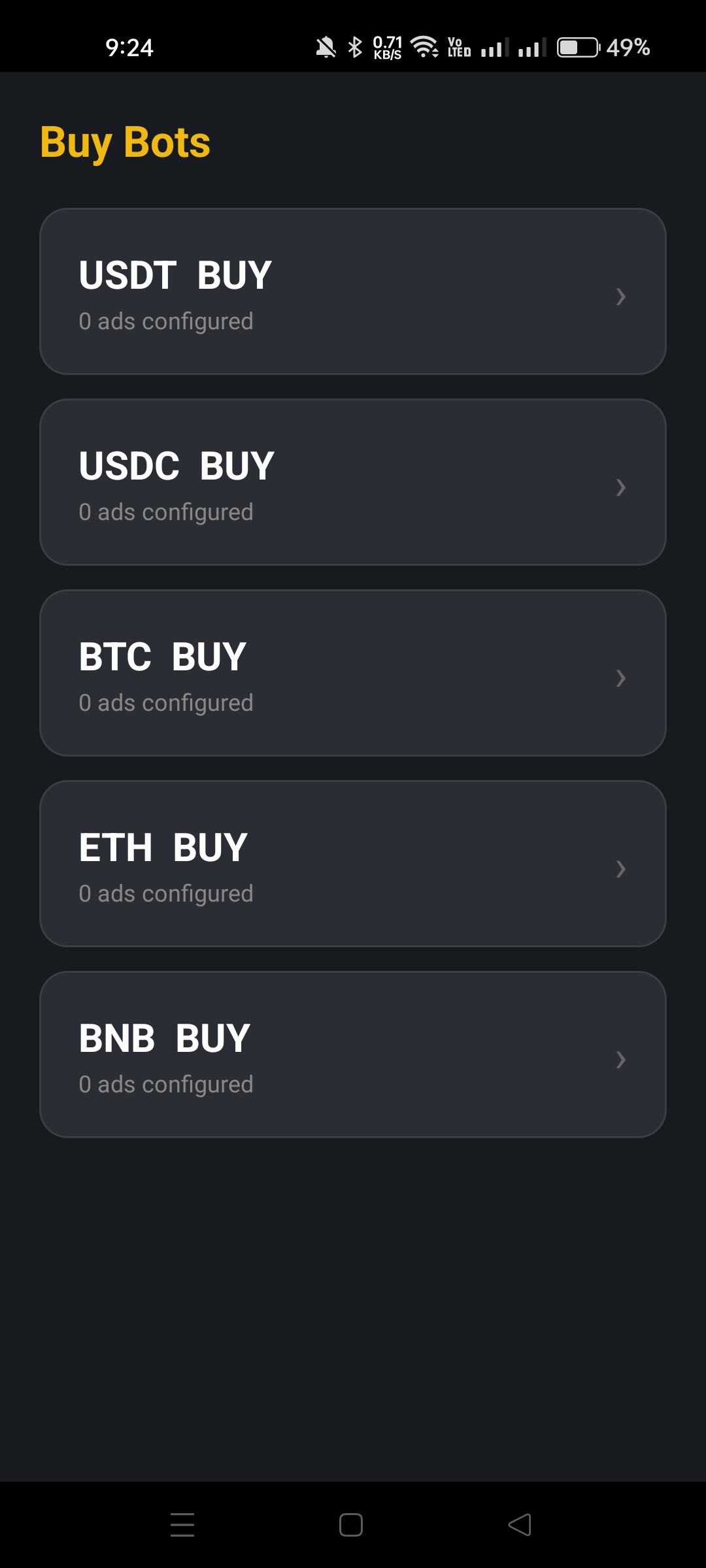
Buy Bots overview — USDT, USDC, BTC, ETH, BNB

Buy Bots
USDT · USDC · BTC · ETH · BNB

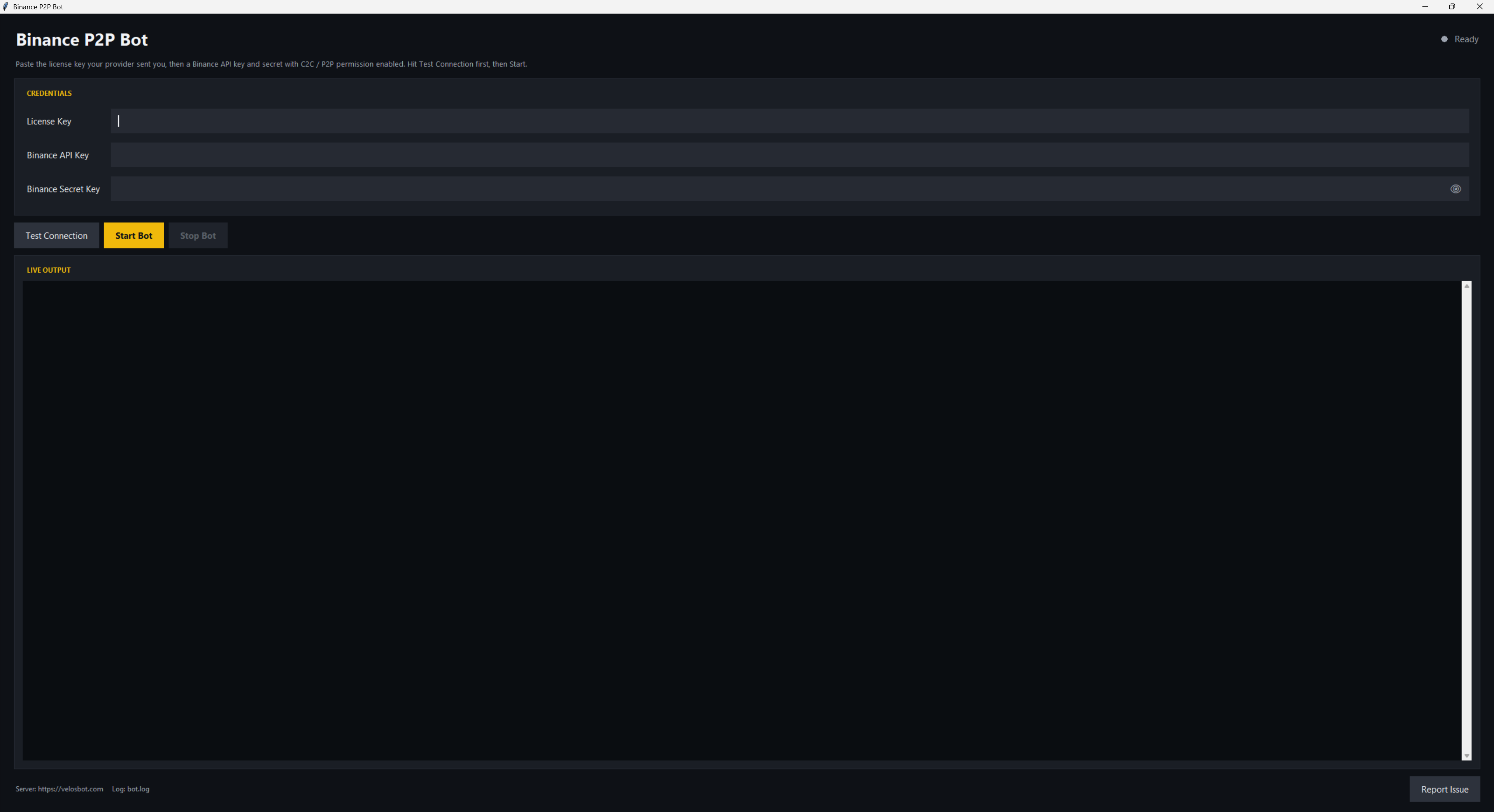
VelosBot.exe PC app

VelosBot.exe — runs on Windows. Paste your keys, click Start.

Your funds stay safe

API permissions — exactly what we need, nothing more

VelosBot only needs the absolute minimum permission on your Binance API key. No trading. No withdrawals. No transfers. The bot can read your ad list and update prices on existing ads — that's it.

What you tick — 1 box only
  • Enable Reading — gives the bot access to read your existing P2P ads and update their prices. That's the entire scope of what VelosBot can do.
On Binance: API Management → Create API → after creating, click Edit restrictions → tick only Enable Reading → save.
What you NEVER tick
  • Spot & Margin Trading · Futures
  • Withdrawals
  • Internal / Universal Transfer
We never ask for any of these. If a "VelosBot" install requests these permissions, it's not us.

Even if our server got hacked tomorrow…

attackers couldn't withdraw a cent from your Binance account. They couldn't trade your spot balance, move your funds, or touch your wallet. Your funds physically cannot be touched through a Reading-only key.

On top of that: your API key is stored locally on your own PC in api_key.json — our server never sees it. Even a full breach of velosbot.com gives an attacker zero access to your keys.

Questions & Answers

Yes. VelosBot Binance works only with verified Binance P2P merchant accounts. Regular user accounts cannot use the bot.

Yes. Your API key never leaves your PC. It is saved locally on your computer in a file called api_key.json. The bot reads it from your disk and talks to Binance directly. Our server never sees your API key — even if our server was hacked, your keys are safe.

We also recommend:

  • Enable only the Reading permission on the key — disable everything else.
  • Add your home IP to the API key's IP whitelist if you have a static IP.

Yes. VelosBot is free and there is no license lock — you can install and run it on any number of Binance accounts. Just create one API key per account and use one bot instance per account.

Message us on WhatsApp or Telegram. We answer personally — no tickets, no bots. Most problems are fixed within a few hours. WhatsApp: +48 452 516 643.

All fiat currencies available on Binance P2P are supported — PKR, PLN, USD, EUR, AED, INR, TRY, BRL, and many more. The bot works in any country where Binance P2P is available. You set the fiat currency in the Settings screen.

Talk to us before you start.

Message us any time. We will answer your questions and help you set up the bot for your market.

Guides & resources

Learn the P2P game

View all guides →